MeetingWerx
  • Home
  • Features
  • Support
  • News

MeetingWerx Knowledge Base

All Projects

Calendar

  • » Next
  • Previous »
  • Open Calendar Help.001

Calendar Overview

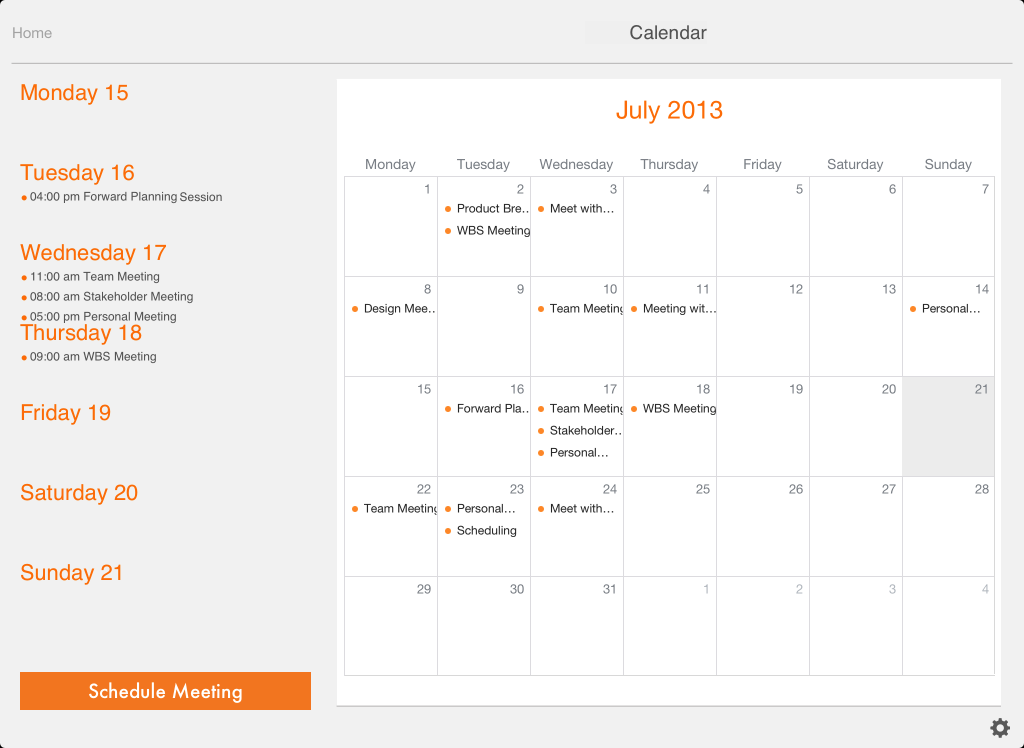
There is really nothing new or different you can do with a calendar so MeetingWerx just imports your iPad calendar items based on the calendar/s you have selected in the settings.  By selecting a day in any particular week, that weekly view is presented with access to meeting details by selecting the required meeting.

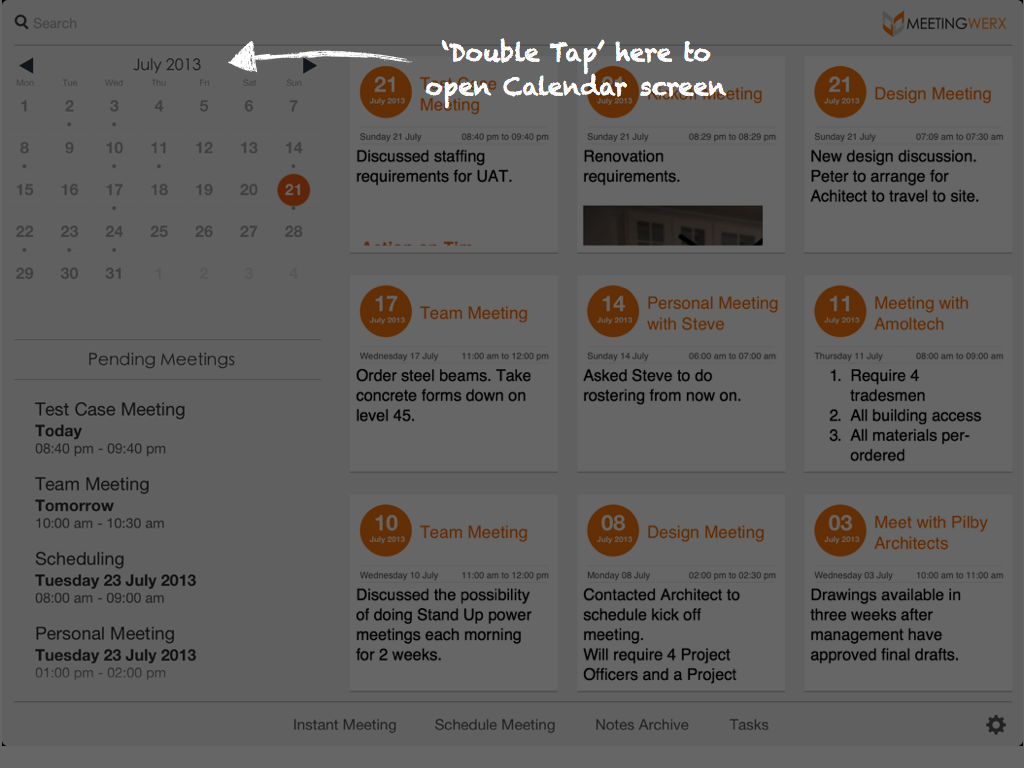
  • To open the Calendar, double tap the month ‘title’ on the home screen calendar.
  • Tap a particular day and that weeks meetings will be displayed.
  • You can view the meeting details by selecting a meeting in the weekly view panel.
  • You can schedule a meeting from the Calendar screen.

  • Welcome to MeetingWerx
  • Future updates
Stay Connected
  • Facebook
  • support@meetingwerx.com
  • MeetingWerx © 2013